Today
Today lists what's overdue, due today and planned for today, together with the day's calendar activities.
Today is the view PacedMind opens with. Its header shows the date, such as Thu, 24 Sep, and it lists everything that needs attention today.
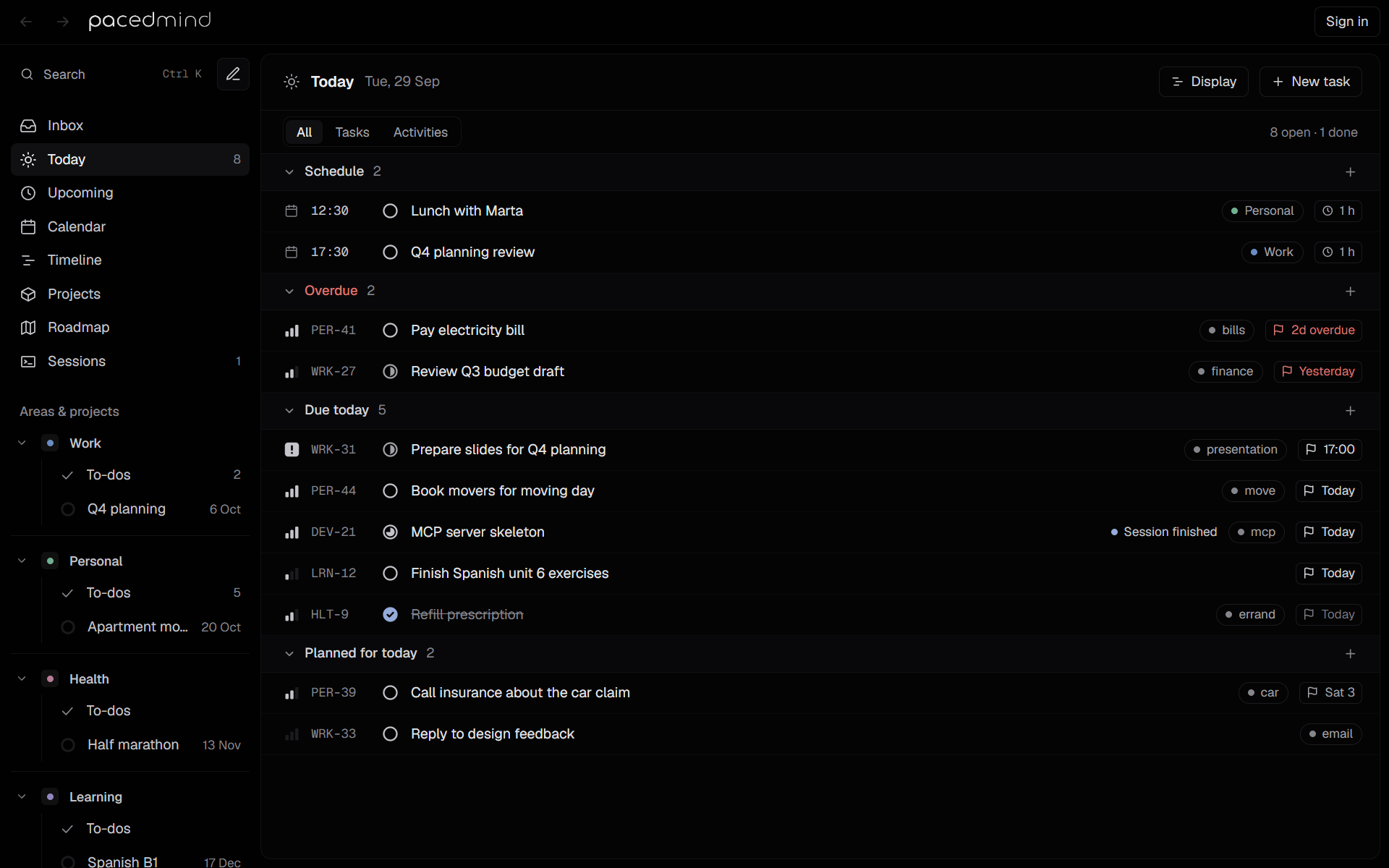
Groups
| Group | Contains |
|---|---|
| Schedule | Today's calendar activities, with their time range and area. The activity in progress is marked Now; past ones are faded. |
| Overdue | Open tasks due before today, oldest deadline first. Shown in red. |
| Due today | Tasks due today: the open ones, and those finished today, crossed out. |
| Planned for today | Open tasks planned for today that aren't overdue or due today. |
Within Due today and Planned for today, tasks sort by priority, then by deadline, with finished tasks last. Empty groups are hidden. With nothing at all, the view says Nothing is due or planned for today.
Filter
The bar under the header switches between:
- All: the schedule and the tasks.
- Tasks: only the task groups.
- Activities: only the schedule.
Its right side counts the tasks: 5 open · 1 done.
Add from Today
- New task in the header, and the + on Due today and Planned for today, add a task planned for today.
- The + on Schedule opens quick add in activity mode.
Using Today
- Click a status icon to mark a task done; click a title to open its details.
- Click an activity in Schedule to change or delete it.
- To push a task to another day, open it and change Start, or drag it in the calendar.
- For a plan of the day with focus times, see the week view, or ask an agent to plan the day: the pacedmind-planning skill reads the agenda and proposes a schedule. See Agent skills.